Monday, November 30, 2009
47/365 - Blocking
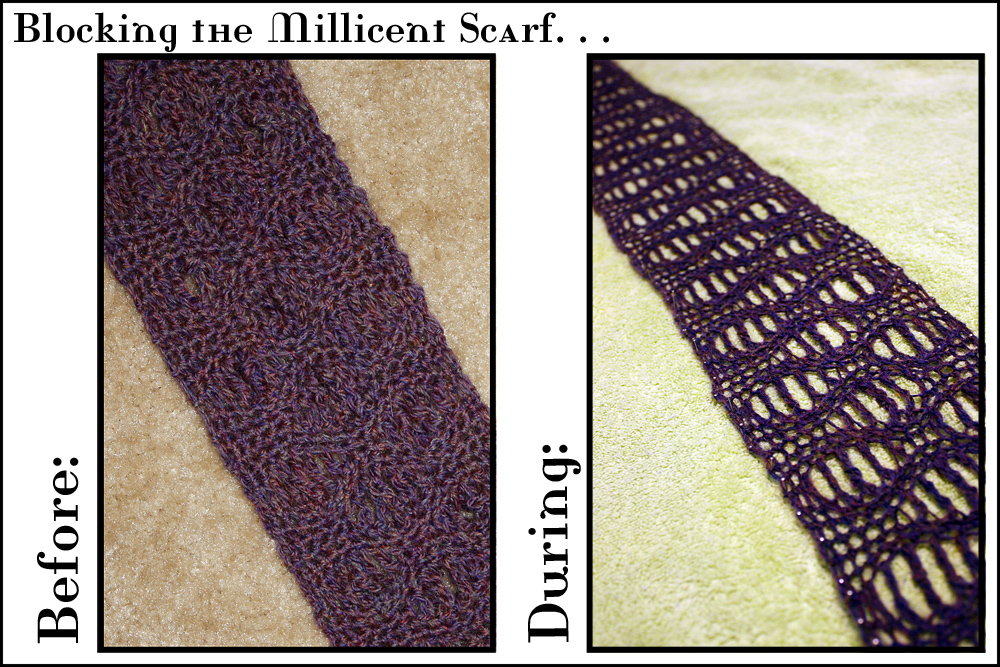
I didn't take many photos today, so I'm stuck with not-so-great pictures of my most recently completed crochet project. This is my Millicent scarf, both before and during blocking. This scarf was my first experience with treble and double treble crochet, as well as my first time crocheting wool. (Very exciting!)
I started the pattern with some acrylic yarn, but I felt that the design wasn't showing as well as I wanted, and I didn't know if an acrylic yarn would open up when blocked, as wool was supposed to do. I decided to start again with new yarn.
As you can see, it still looked pretty tight before blocking. I'll have to wait for it to dry before I can remove the pins and know for sure how it looks completely finished, but the "during" shot is promising.
I'm still not sure I'm doing the blocking correctly. I suspect I may have blocked too severely this time-- and it takes me forever, even getting imperfect results like these. (The edges of the scarf could be a little more even, but I figure that a little wobble won't show when I wear it.) Even if it's not the best blocking job in the world, it did certainly open up the pattern.
Sunday, November 29, 2009
46/365 - Last Color of the Year?
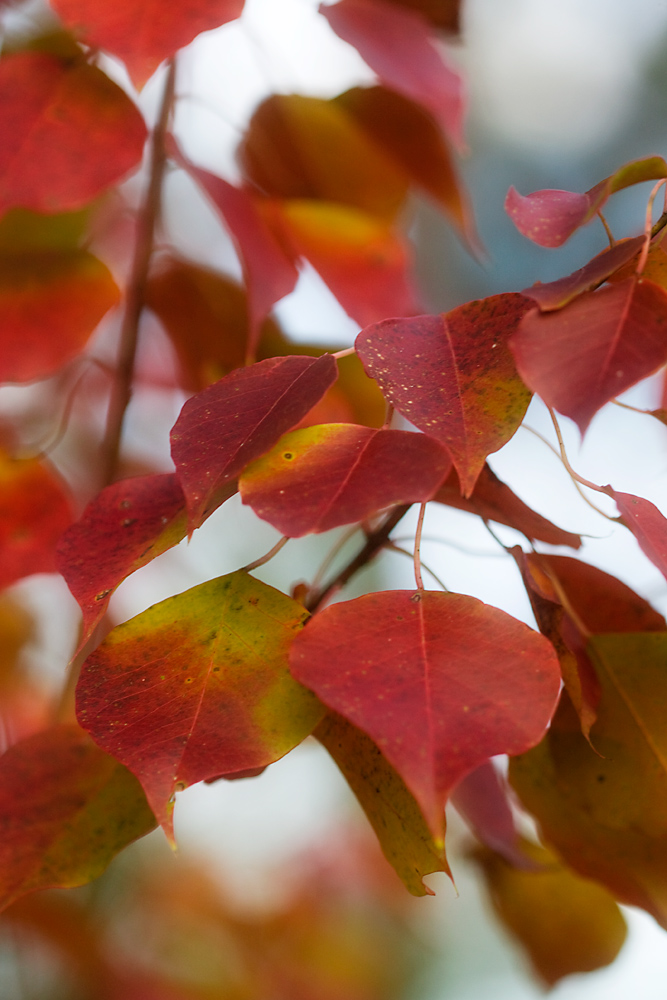
Colorful leaves are getting scarcer by the day. Each autumn-clad tree I find may be the last for the season. Fortunately, that also means that we're entering one of the best seasons for indoor color. Time to dig out the Christmas decorations, deck the halls, and crank up the Christmas carols!
Editing: Started with the RAW format. (It is useful for correcting exposure and such.) Ended up with the usual treatment & a little Ortonizing. (At this point, so much of the editing is "the usual" that maybe I won't bother with adding this section unless there's something special to say about it-- such as a new-to-me technique.)
Saturday, November 28, 2009
Friday, November 27, 2009
44/365 - Carcassonne
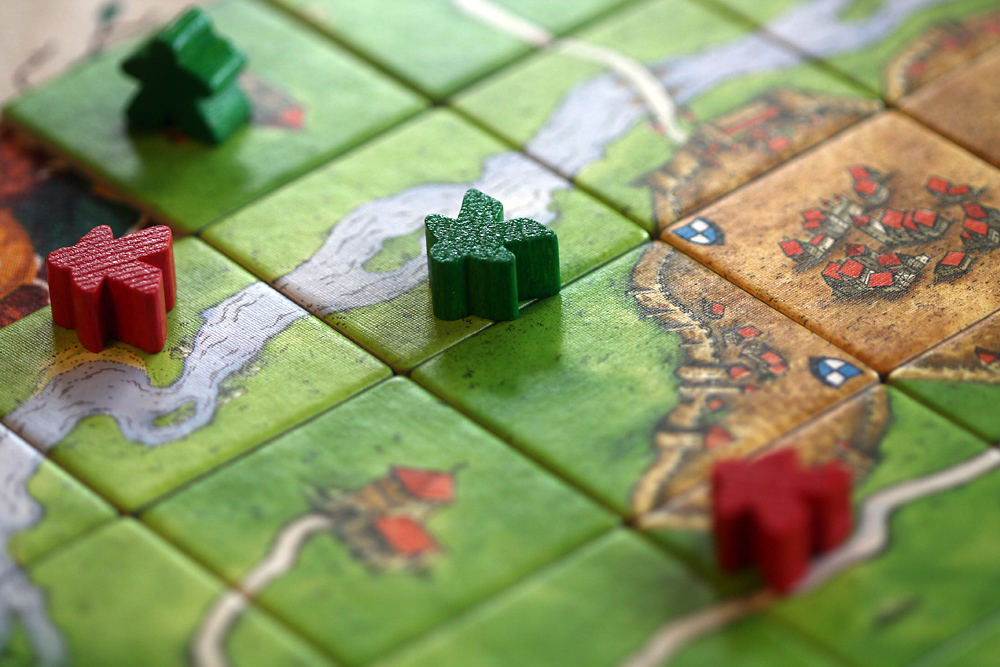
Here we are tallying up the final points of our second game of Carcassonne. My family gave Donald this game (and an expansion pack-- Inns & Cathedrals) for his birthday (which was yesterday). We played it once yesterday evening and again this afternoon. It's fun-- and easier to pick up than Settlers. However, though it seems simple on the surface, there's still plenty of room for strategy.
Editing: Resize, Curves, & Unsharp Mask.
43/365 - Olivia
This was my first time so far (in Project 365) to fail to post a photo every day. (Shoot! Almost made it to fifty! ;o)) However, even though I didn't get around to posting a photo, I did take some photos yesterday. (As usual, the others are on my Flickr photostream, along with some that Donald took.)
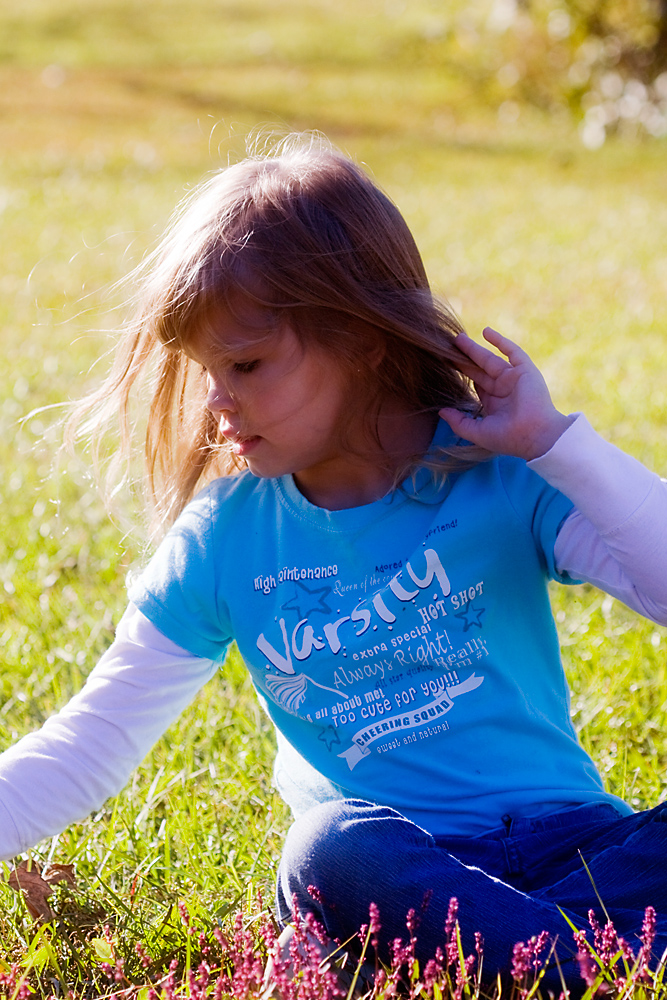
We celebrated Thanksgiving with my father's side of the family this year. After feasting on delicious foods and desserts, some of us went for a walk around the yard, and Olivia (my youngest cousin) picked a bouquet of wildflowers. :o)
Editing: I can't remember exactly what I did, but I think it was pretty much the same as usual. I started with RAW format, which allowed me to correct the exposure, then I think I used my favorite handful of Photoshop tools and filters.
Wednesday, November 25, 2009
42/365 - Munching Moo-ers
I wasn't the only one out enjoying a warm and sunny afternoon. ;o)
These cows are sometimes out in the pasture to our south, giving us something nice to look at. Cows-- when you don't have to take care of them, especially (g)-- lend such a pleasant pastoral appeal to a place. (This is mostly true when there aren't too many of them in one place. The smell of manure is somewhat less than pleasant or appealing.)
Editing: (Some before Photoshop) Crop, Resize, Curves, & Unsharp Mask.
Tuesday, November 24, 2009
41/365 - Crepe Myrtle
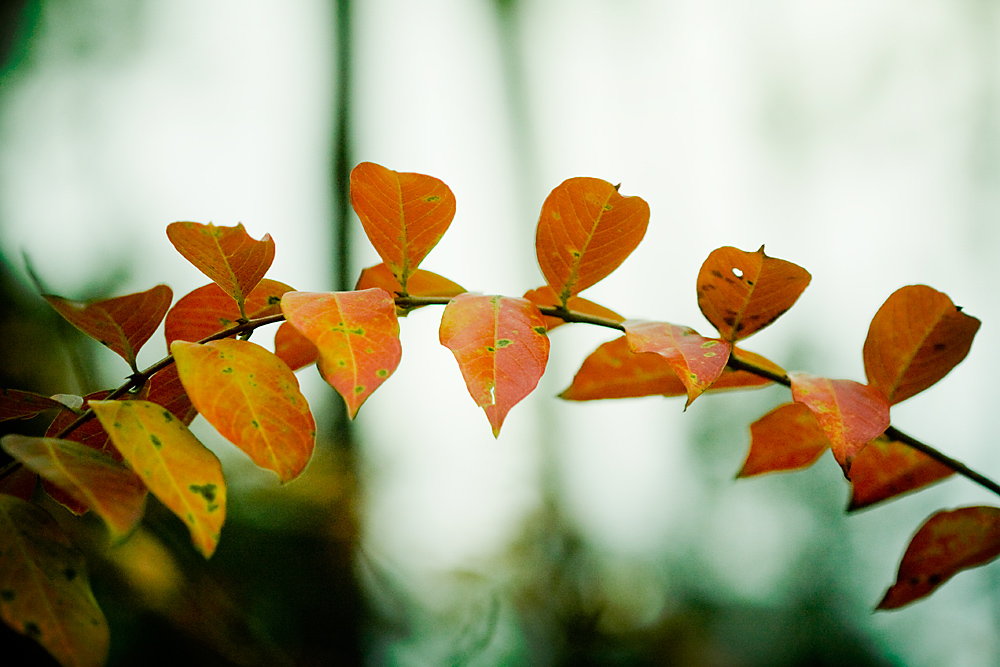
I guess the leaves of some types of crepe myrtles change color later than others. At least, ours have, this year. The few down by the shed have brilliant color right now, but the others have long since turned all brown.
Editing: I'm still playing around with RAW format and learning how all the adjustments work. I think I already have a better idea of how to use at least a few of the controls. After getting it into Photoshop, I don't think I did much else-- mainly resizing and Unsharp Mask.
Monday, November 23, 2009
40/365 - Lizard on a Curving Stalk
It was the unusual curve of part of this plant that caught my eye-- and then when I looked closer I was surprised to see a tiny lizard resting there!
I took this photo (and the others from today) in RAW format (as opposed to JPG, which is what I generally use). I didn't see much difference between the RAW & JPG, today, but that's probably due to my not knowing what I'm doing yet. . . Well, there's always something new to learn, but I guess that's a good thing. ;o)
Editing: (Some editing in Bridge, before I even opened it in Photoshop-- mostly increasing the exposure to counteract the excessive darkness.) Crop, Resize, Unsharp Mask, & Curves.
Sunday, November 22, 2009
39/365 - Speckled
I took the macro lens on my walk, today. It was a little dark at times, but not so bad that I couldn't get decent focus in most of my photos. I like overcast days for photographing-- at least every now and then.
If I'm not mistaken, this is a wild grape vine. Whatever it is, those starry leaves are attractive whether fresh and green or mottled yellow and brown.
Editing: Crop, Resize, Curves, & Unsharp Mask.
Saturday, November 21, 2009
38/365 - November Sky
This one looks very similar to yesterday's photo, but I promise I didn't cheat. ;o) (Maybe it is a sign that I'm in a rut, though. . .)
I took this photo on an early morning walk to my grandparents' pond. I'm trying to take advantage of the cooler weather by walking at least a little every day-- even if it's only a few laps around the yard. I can use the exercise, and I may even find something to photograph. Yesterday evening, Donald and I surprised a couple of deer down at the pond. Of course (luck being what it is) I hadn't brought the camera, but it was probably too dark for a good photo, anyway.
Editing: Resize, Curves, Dodge Tool, & Unsharp Mask.
Friday, November 20, 2009
37/365 - Rippling
I thought these unusual clouds resembled rippling water. . .
Editing: Crop, Resize, Curves, Brightness/Contrast, Unsharp Mask.
Thursday, November 19, 2009
36/365 - Sunset Sky
The stars of this evening's sunset were these wispy clouds-- "mare's tails" I think they're called.
If they are mare's tails, they're supposed to be a sign of an approaching front and rain, and we are expecting rain on Saturday. . .
I'd like to know more about weather signs-- what different clouds and atmospheric phenomena indicate. It's something I think I know a little about, but not to the degree that I feel secure in the knowledge.
Editing: Resize, Curves, Unsharp Mask.
Wednesday, November 18, 2009
35/365 - Lichen-Grown Oak
Editing: Resize, Orton technique, Unsharp Mask, ta-da! (Only it's not much of a "ta-da". Still, the rules say "a photo a day", not "your-best-photo-ever a day". (g))
Tuesday, November 17, 2009
34/365 - Innocence
I was planning to post a photo representing that I had organized (most of) our pantry today, but when it came time to take a photo, it was too dark in there to get a good macro. Photos of carefully stacked and arranged cans turned out a bit boring, and I found I didn't have the heart to inflict the purposely out-of-focus abstract shot upon you. (Not here, at least. It still went into the photostream, though.)
In the end (as you see), I selected an Ortonized photo of a rose-- a photo that is arguably not much more interesting than the canned vegetables were. Oh well. (g)
(The name refers to the fact that one of the things white roses often symbolize is innocence or purity.)
Editing: Crop, Resize, Ortonizing technique, Curves (individually on each layer), Unsharp Mask, and Clone Stamp (to remove a small but obvious blemish from a petal).
Monday, November 16, 2009
33/365 - Satsuma
We purchased a couple of satsuma trees this year. Of course they're still too young to produce a bumper crop of fruit (and it seems like this may not be the best year for satsumas, around here, anyway), but they still did their best. Each tree has made at least one fruit apiece, if nothing gets them before they ripen.
Editing: It was more complex than usual, today. I layered a second photo (featuring the bokeh-- in this case, the out-of-focus dots of light) on top of the satsuma photo to add some interest. The original photo was a little boring with nothing in the background. I also used a masking technique to make the fruit completely visible and the dodge tool to brighten it in spots. Otherwise, I relied upon some of the same tools/filters I frequently mention in this section.
Sunday, November 15, 2009
32/365 - Layers
I took a few foggy photos first thing this morning. This is one of them. (Not much more to say about it than that, really.)
Editing: Resize, Curves, Clone Stamp (to remove some power lines), Color Balance, & Unsharp Mask.
Saturday, November 14, 2009
31/365 - Marble Reflections
Reflections in a glass marble-- part of a homemade copper and marble garden ornament. The spiral in the top part of the reflection is what initially caught my eye, but afterward I noticed myself in there, too, as well as the rest of the immediate surroundings (patio railing, windchimes, birdhouse, trees, lawn).
Editing on this one was simple: Resize, Curves, and Unsharp Mask.
Friday, November 13, 2009
30/365 - Candy Cane Collection
I've been working on some Christmas-themed polymer clay things, lately. These tiny candy canes are waiting to be worked into some larger projects. Making miniature candy is lots of fun, but it's also fairly time-consuming.
Editing: Resize, Curves, Color Balance (was too yellow), Sponge Tool (to slightly desaturate the quarter), Ortonizing technique, & Unsharp Mask.
Labels:
Christmas,
food,
holidays,
macro,
miniatures,
polymer clay
Thursday, November 12, 2009
29/365 - Moody
This toad, which I found sitting very still on the patio, didn't look very happy. I guess I can't blame him (or her?). It's getting cooler, these days, and that's probably not the kind of thing that puts toads in a good mood. For people, on the other hand, it's been beautiful today-- sunny, breezy, not-too-hot, not-too-cold.
(I didn't notice the little red insect on its front leg, at first. . .)
Editing: Cropped, resized, Curves (to lighten), Clone Stamp (to hide a piece of Trixie hair on the toad's back-- I'm telling you, that stuff gets everywhere!), Unsharp Mask, and Color Balance (because it was just a tad too green-- probably because of the green shade cloth "roof" overhead).
Wednesday, November 11, 2009
28/365 - Laceweight
This is my first experience with laceweight yarn. It came in hanks, so I had to wind it into balls before I could use it. (Otherwise, it tends to tangle and knot.)
I haven't decided for certain what I'm going to make with this lightweight yarn. I'm a little intimidated by it-- mainly because it's so thin and looks so delicate. I think I'll ease my way into it by using some fingering weight yarn before I settle on a laceweight project. (That is also a first for me. The thinnest yarn I've crocheted with to date is sport weight.)
Editing: Cropped, resized, Curves, Dodge Tool (to lighten some shadows), Vibrance (just a tad), Unsharp Mask, & added a vignette.
Tuesday, November 10, 2009
27/365 - Good Golly Miss Molly
There. Now maybe Molly won't feel left out. ;o)
It was still breezy and slightly misty from Tropical Whatever-It-Is-Now Ida when Donald took the dogs out for a frisbee break-- but I don't think they minded the weather.
Editing: Cropped, Resized, Curves (to lighten), Clone Stamp (to clean up some distracting bits of grass in her fur), Vibrance (to give the grass a little more color, since it faded with Curves), Unsharp Mask, and a tiny touch of the Sharpen Tool on her eyes. I also applied a light vignetting effect.
Monday, November 9, 2009
26/365 - Raindrops
We're having a rainy day as bands of showers come in off the Gulf-- part of Tropical Storm Ida, I guess.
This was taken from the inside of the Elantra using the handy dandy macro lens.
Editing: Cropped, resized, Curves (to lighten overall and increase contrast), Color Balance (to very slightly nudge the colors into a cooler tone), and Unsharp Mask.
Sunday, November 8, 2009
25/365 - Trixie
Yet another Trixie photo-- and not a particularly outstanding one. I'm just not feeling like going out and taking more photos today...
Editing: Same as usual. Cropping, Resizing, Curves (this time I used the "auto" setting and then bumped it up a little brighter than that), and Unsharp Mask. (Oh, and I tried to lighten and saturate her eyes just a little. I end up doing that in most photos of her, these days.)
Saturday, November 7, 2009
24/365 - Branded
When we walked up to the mailbox this afternoon, I noticed these markings in a post where the easement meets the main road. I'm not sure what they mean. If I had to guess (based on its girth) I'd say the post is part of an old telephone / electricity pole.
The branding is upside down because that's how it's now oriented. (Also, I must admit that I think that makes a more pleasing image.)
I like finding "writing"-- even if it's a meaningless-to-me code-- on old stone, wood, or metal.
Editing: Cropped, resized, levels (added contrast), unsharp mask.
Friday, November 6, 2009
23/365 - Popcorn Tree
The Chinese tallow tree (aka "tallowtree" or "popcorn tree", as I've always heard it called, locally) is native to eastern Asia, in the same latitudes as the American Southeast. Because of this common latitude (and climate), it has thrived here. Unfortunately, it has thrived to the point of becoming an invasive pest, and some official websites recommend removing them even from the landscaping around private homes.
Personally, at this point I think it seems a lost cause. If I pull up this popcorn tree that has volunteered in our yard, there will still be who-knows-how-many growing in the wilderness all around here.
In any case, there's no denying that they are beautiful in autumn-- one of the few trees that put on a fall show in this mild climate.
Editing: If you're paying attention to my editing notes, you've probably already guessed that this has been ortonized. I can't help it; I love that effect-- maybe a little too much. ;o)
P.S. I really prefer the way "landscape"-oriented photos look in this bloy layout, but sometimes the best photo of the day has a "portrait" orientation. It can't be helped. . .
Thursday, November 5, 2009
22/365 - Glowy Trixabug
Time for a more concrete, recognizable photo, I think. ;o)
This is obviously Trixie out for a walk (on the pad, incidentally). I was lying on my stomach in the grass to get this photo. Or actually, I was lying there to get photos of her chewing a stick, but then she got up and walked around a little, so this was just a bonus shot.
Today, I thought it might be fun to show the before and after of the photo of the day. The "after" is the one above, of course. Here's what the "before" looked like (with absolutely no editing except for resizing and saving for the web):
(You can see it bigger by clicking it, if you like.)
Here's what I did to get it from point A to point B:
I cropped it, resized it, and used Curves to adjust the colors (lightened mainly, I think). I then used the lasso tool (set to a slight feathering) to select only Trixie, copied my selection and pasted it onto a new layer. I did this because I wanted to "ortonize" the photo (to give it that soft-focus, dreamy look), but I've learned that Eskies don't generally respond well to ortonizing. They tend to lose all detail, and the eyes and nose become three black holes. (Even more than usual, so you know it's bad. (g)) After that, I duplicated the whole photo (so that there were now three layers-- two with the whole photo and one with just Trixie's portion visible). I ortonized the whole photo, making sure the Trixie-only layer was on top. This way, the background got the dreamy, glowy look, but Trixie stayed in focus. I put an Unsharp Mask filter on top of the Trixie-only filter to further sharpen it, and I think that was about it. . .
I'm sure there are other ways to achieve the same effect, but so far, this way is working for me.
Wednesday, November 4, 2009
21/365 - Autumn Abstract
I decided to go with something totally abstract today. It's more of the same fluffy, grassy weed in yesterday's photo, but this time I purposely threw it out of focus.
Once, I wouldn't have thought myself likely to enjoy abstract photography, but it turns out that I do have an appreciation for it. Either that or I've developed a taste for it. Kind of like the way I learned to eat raw broccoli, maybe. ;o)
One of the things I like most about abstract photography is that it can elicit an almost instinctive emotional response. Some of it's not just "atmospheric"-- it's 100% atmosphere! (g) I also enjoy the fact that it can be so closely tied to macro photography (another of my favorites). You can fill the frame with minute details and see ordinary things in a whole new way-- or you can blur out the details entirely, as in this photo.
Editing: I used the Orton Effect (which I mentioned in yesterday's post) on this photo to make the colors richer and further soften the photo. Apart from that, I used my standard procedure-- crop, resize, etc.
Tuesday, November 3, 2009
20/365 - Fluff
This is an anonymous back-lit grassy weed.
I have a certain fondness for back-lit grassy weeds-- particularly when the back lighting is the late afternoon sun. They remind me of sun-warmed autumn afternoons fading into evenings with just the right edge of chill. They seem to epitomize the safe, cozy feeling I associate with this time of year.
Editing: I think I "Ortonized" this one. (I've written about "my" ortonizing process before, on my regular blog.)
Monday, November 2, 2009
19/365 - New Glasses
Our new eyeglasses (ordered online from Zenni Optical, in the middle of October) showed up in our mailbox on Saturday. Since the frames we chose were so affordable, we decided to splurge and order three pair each. As I mentioned on my regular (but lately neglected) blog, this is the first time I've had new glasses since Donald was here visiting for the first time. (Summer 1998? I'm not the best at remembering dates. . .) As you can see in today's photo, the extravagance of having three new sets of specs all at the same time has left me slightly unhinged. ;o)
Well, ok, I just thought it would be a more fun way to show the new glasses than staring straight into the camera (or using my customary "looking up into the camera to minimize those extra pounds" pose). But if you want a better look at the glasses themselves, I have photos of all but one pair on my Flickr photostream. (One was left out because Donald was wearing them. If you're absolutely desperate to see that pair-- and, really, why wouldn't you be?-- you can see them in the photo of him playing guitar.)
The photos aren't all perfectly focused. Some could use some more tweaking to get the color just right, but it's good enough. (I'm tired, and there are Things to do.)
Oh, and I also converted this photo to sepia and b&w. I think I may actually prefer the sepia to this version, but I decided I'd done enough b&w / sepia lately. (And considering the subject matter, there's not that much difference between the original and sepia, anyway.)
Editing: Kind of hard to explain. Basically the same as usual (cropping, resizing, adjusting for light and color, etc.), but the biggest part of editing today was putting the various photos together into a whatever-this-is. (Mosaic?)
Sunday, November 1, 2009
18/365 - Donald
Here's Donald playing the guitar on the patio this afternoon. :o)
I used this tutorial (and a little fiddling around of my own) to convert a color image to this approximation of an old black and white photo. There are (as you might imagine) many tutorials for converting color images to B&W. I don't suppose this is the best one, but it was one of a few that happened to pull up first on Google, so I gave it a try. I'm not sure I like the addition of grain (noise). Also, it seems that this person's method of darkening the edge of the photo isn't any better than the one I've been using, so I'll probably stick to that one. . . I used a different method (plus more of my own ideas) on the same photo-- this time without the noise-- and that one is also on my Flickr photostream. I couldn't decide which I preferred, so I went with this first one.
Subscribe to:
Posts (Atom)